FAIR QUESTIONS
Glad you asked.
A TV with no apps still shows Netflix. You bring the stick, the box, or the laptop.
Still stuck? Contact usCan I play my video games on here?
Yes. HDMI from a PlayStation, Xbox, Switch, or any other HDMI console. The TV shows the picture. Every size is 60 Hz. The 4K models also accept HDR10 from compatible devices. See it on the homepage.
Wait, how do I watch Netflix?
Plug in a streaming stick or box over HDMI. That device runs Netflix (and the rest of your apps). The TV shows the picture. The stick, box, and any subscriptions are separate purchases. A laptop with HDMI works the same way.
Can it connect to the internet?
The TV has no Wi-Fi, Ethernet, or Bluetooth. A streaming box or other device you connect may use the internet and has its own privacy settings. The TV does not join your network.
What does “no smart” mean?
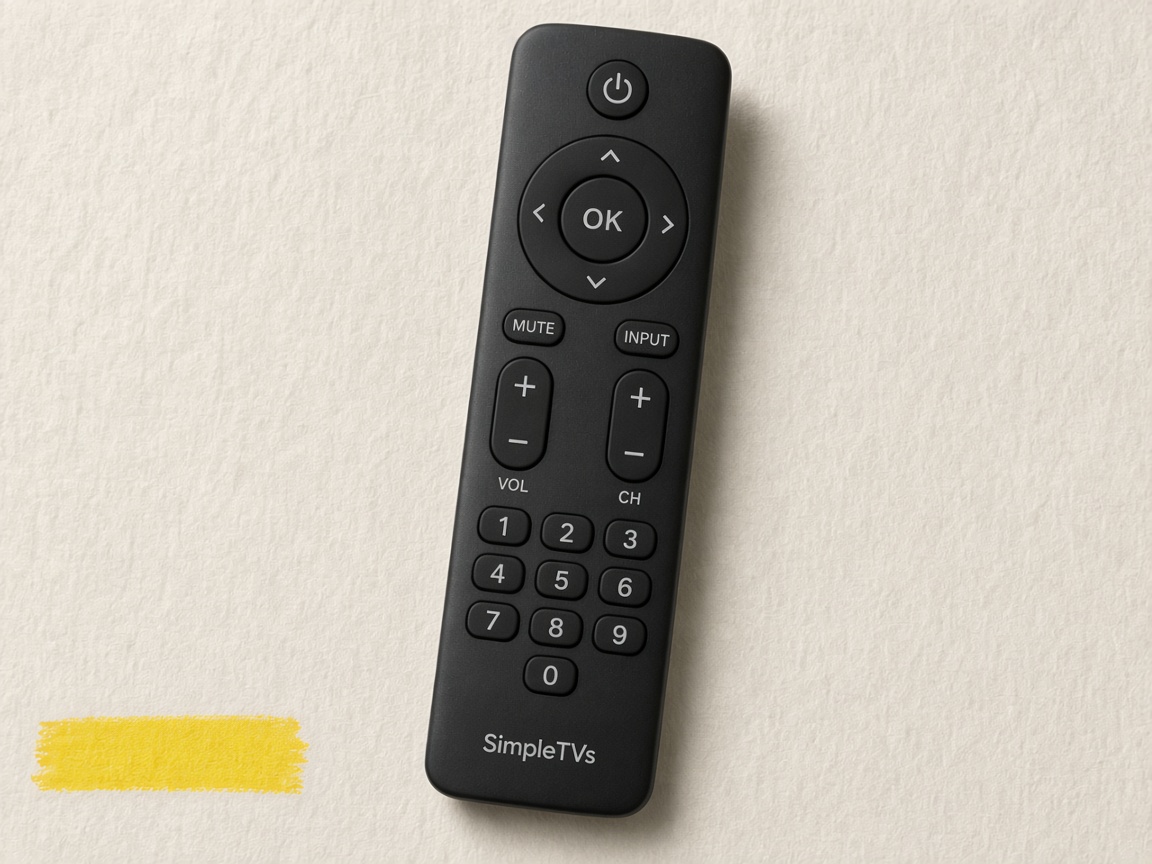
No built-in apps, no TV operating system, no advertising platform on the set, and no microphone. Power, input, volume, and channels are physical buttons on the remote.
What’s going on with smart-TV privacy news?
Researchers and LG disagree about standby audio and how much network data a connected set collects. Texas settled with LG over viewing-data disclosures; it has also sued Hisense and others over ACR, including a Hisense Google TV bought from Walmart.com. Budget Roku and Hisense sets are part of that industry, not a separate one. We keep a sourced summary on the homepage privacy section. This TV has no networking hardware and no microphone for that collection. A stick you plug in has its own privacy settings.
Can I watch local channels?
Yes. Every size has an ATSC tuner for over-the-air broadcasts. Connect an antenna, sold separately. Which channels you get depends on your location and reception.
How do I plug in a laptop or phone?
A laptop with HDMI (or USB-C to HDMI) goes into one of the three HDMI ports. Most phones need a separate HDMI adapter; we do not include one. AirPlay, Chromecast-from-the-TV, and wireless screen mirroring are not built in, because the TV has no Wi-Fi, Ethernet, or Bluetooth.
Which size should I choose?
32″ and 43″ are Full HD (1080p). 50″, 55″, and 65″ are 4K. Screen size is measured diagonally. Check wall or stand space before ordering.
How long does shipping take?
Orders are due to ship within 3 business days of payment. Standard sea freight is 30–45 business days in transit. Express air freight is 7–12 business days. Estimates skip weekends; public holidays may add time. US delivery only.
What about duties and tax?
Duties and import fees are included in the shipping price shown on the site. Prices on this site are before sales tax. Stripe Tax can add US sales tax at checkout once the shop has an active tax registration. Until then, the Stripe total matches the prices shown here.
Is checkout real, or a demo?
If you see “Demo storefront” on the site, checkout is a preview and no payment is taken. Live checkout opens hosted Stripe checkout (off this site) and charges the card there. This store does not take card numbers itself and does not embed Stripe on the page.
Does this website track me?
There are no analytics scripts, advertising pixels, or third-party fonts. Your cart stays in your browser until checkout. Campaign tags, if present, accompany your order. Stripe processes payment on its hosted checkout. Resend sends the order confirmation from this shop. Delivery partners receive the details needed to ship it. Read the privacy policy.
What’s on the back?
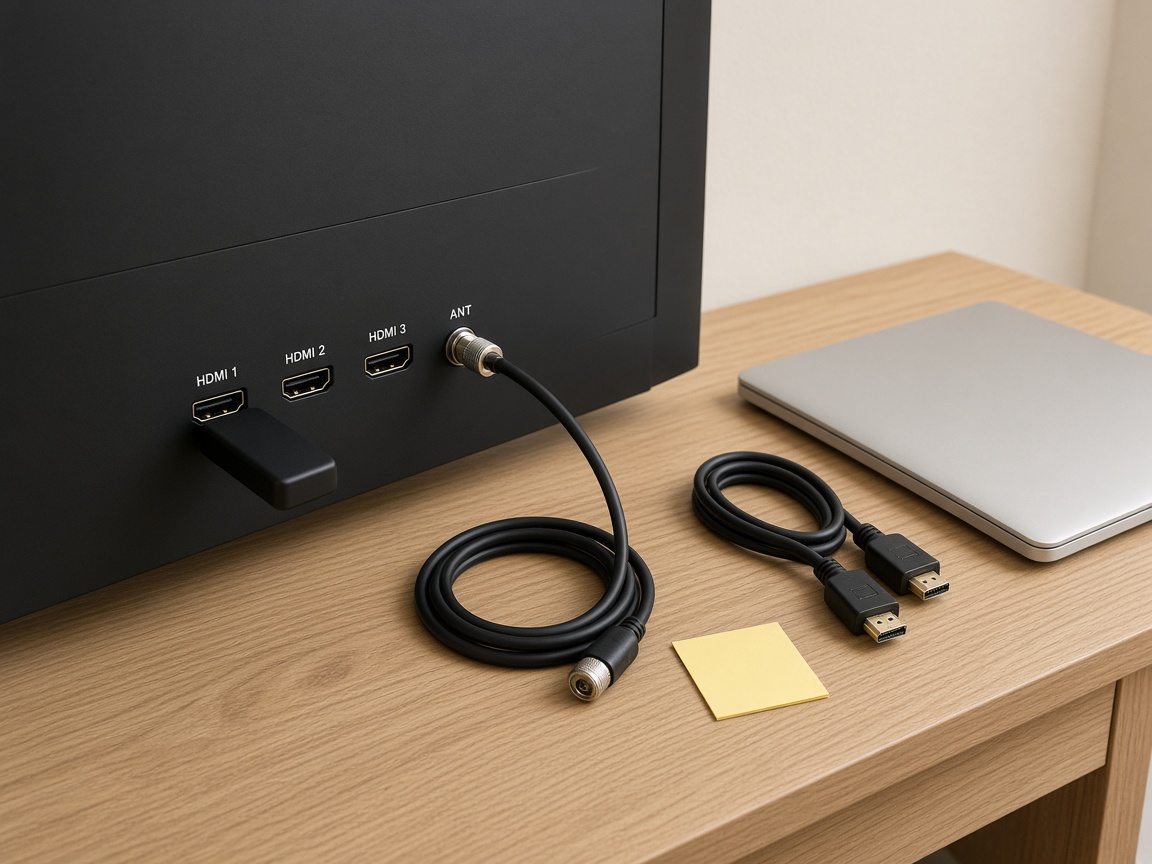
Three HDMI inputs, an antenna jack with an ATSC tuner, Optical digital audio (TOSLINK), and a 3.5 mm analog audio jack. No Ethernet, Wi-Fi, Bluetooth, or microphone. HDMI is how you watch. Optical and analog audio are how you send sound out.
What about warranty and returns?
12 months on the panel and power board. If it arrives damaged or does not work, email within 30 days for replacement arrangements. Change-of-mind terms and freight are not listed as a default; email before you order. Step-by-step instructions are on the warranty page. Sale, shipping, and return terms are on the terms of sale.
HOW YOU ACTUALLY WATCH
HDMI in. Picture on.
Streaming stick in HDMI 1. Antenna on the coaxial jack. Optical out if you want a soundbar. That is the whole setup.
See the TVs